



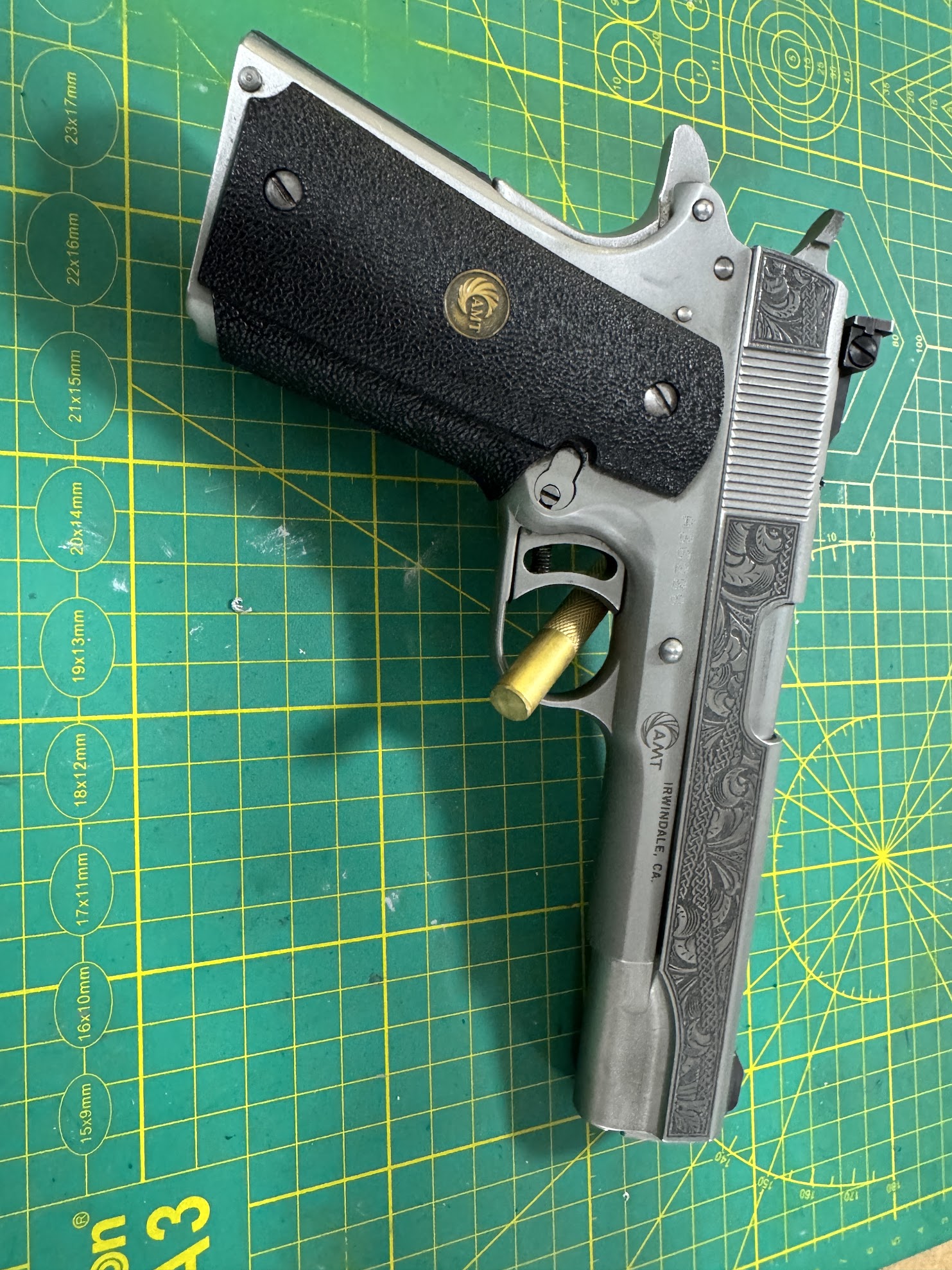
Fiber/InfraredCommunity report
416 Stainless Steel
Bare Metal
Shared by russell.wynne
Important safety notice
Settings are starting points — always run a test cut on scrap before your final piece. Follow your manufacturer's guidance, wear eye protection, and ensure proper ventilation.
Laser Settings
Engrave · Vector · Flat SurfacePower
50
Speed
60
LPC
250
Passes
1
Frequency
65
Pulse Width
250
Engr. Angle
30°
Crosshatch
On
This is step 4 of a multi-step process for deep firearm engraving.
1. Cleaning pass
2. Engraving passes - 30 (ttl 60 - divide by 2 for cross hatch, so 30)
3. Cleaning passes - every 5 engraving passes
These Settings: 4. Coloring pass - Annealing - This is for BLACK
5. Cleaing pass again
6. Polishing pass
then post processing finish work.
Note to reviewer, I will submit settings for the other steps as well.
Community Feedback
No votes yet — be the first to report how these settings worked.
Export
xTool machine: open it straight in xTool Studio, or download a .mxs (Studio → Materials → Import).
Sponsored
Shop xTool lasers and UV printers
Every xTool machine in this library, with our discount code.
Code ERIK100: $100 off $1,699+ (or ERIK80: $80 off $999+)
Shop xTool →Machine Context
BrandxTool
ModelF2 Ultra
Laser typeFiber/Infrared
Wattage60w
Compare against your own machine before treating these as a starting point.
Material Details
Material416 Stainless Steel
Color / FinishBare Metal
Shop machine — xTool →
Code ERIK100 — $100 off $1,699+ (or ERIK80 — $80 off $999+)
Provenance
Source type
Community report
Shared by a maker in the community. Helpful for context, but not verified for every setup.
License
CC0 (Public Domain)
No rights reserved, free to use.