



Fiber/InfraredCommunity report
Black Stainless Steel
black
Shared by @jon.gauthier37 on Atomm
Important safety notice
Settings are starting points — always run a test cut on scrap before your final piece. Follow your manufacturer's guidance, wear eye protection, and ensure proper ventilation.
Laser Settings
Engrave · Vector · Flat SurfacePower
24
Speed
750
LPC
846
Passes
2
Crosshatch
On
Thickness
0.8mm
defocus
7 mm
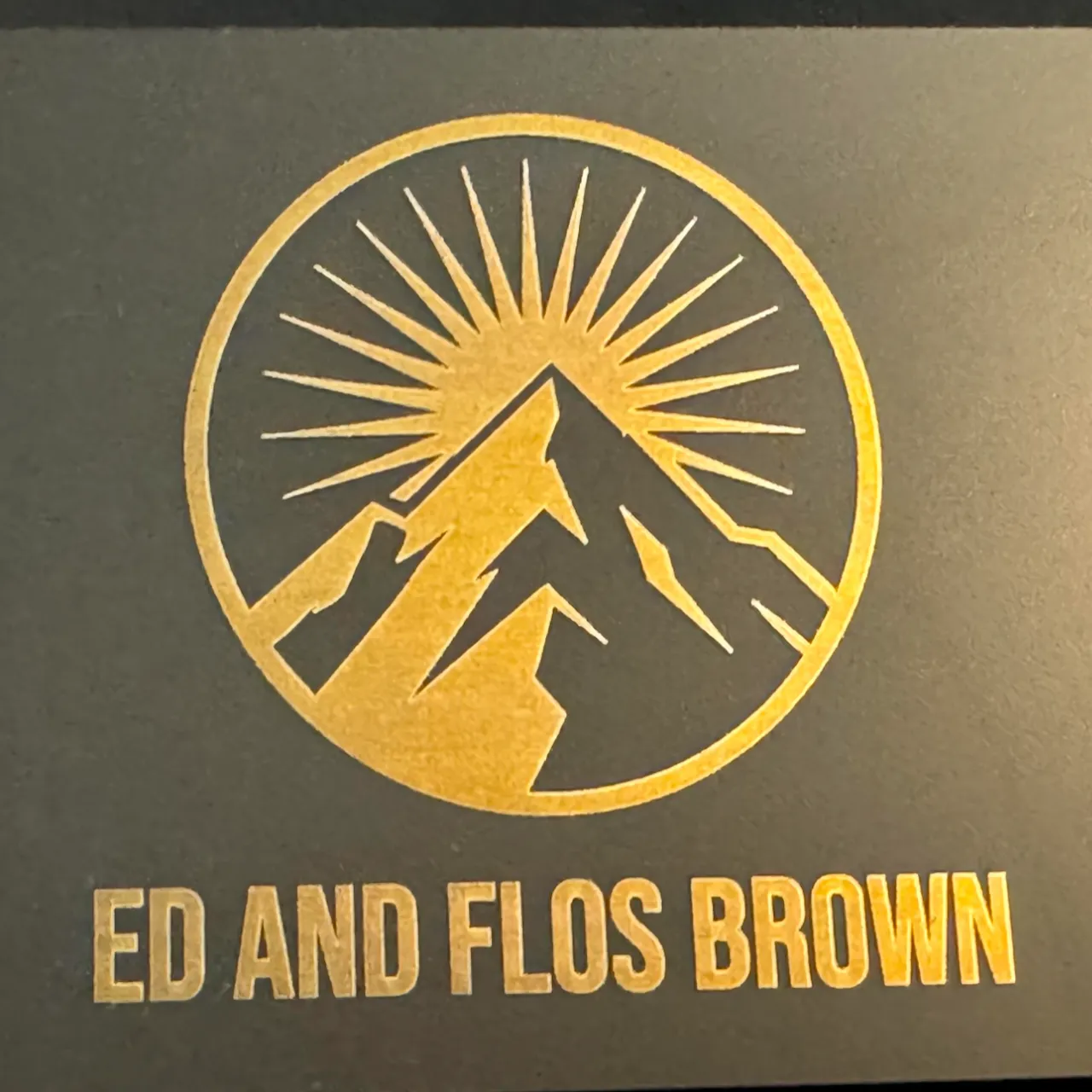
This is a black coated stainless steel business card. The cool part is the gold that I was able to get. If you only do one pass, the gold isn't very solid, but it looks fantastic with two passes. Results will vary based on the type of steel you use.
The gold settings came from my color test, which I got from this very nice project here: https://www.atomm.com/project/146681?utm_source=copylink&utm_medium=referral&utm_campaign=sharetoearn2&utm_id=865418
Community Feedback
No votes yet — be the first to report how these settings worked.
Export
xTool machine: open it straight in xTool Studio, or download a .mxs (Studio → Materials → Import).
Sponsored
Shop xTool lasers and UV printers
Every xTool machine in this library, with our discount code.
Code ERIK100: $100 off $1,699+ (or ERIK80: $80 off $999+)
Shop xTool →Machine Context
BrandxTool
ModelF2
Laser typeFiber/Infrared
Wattage5W
Compare against your own machine before treating these as a starting point.
Material Details
MaterialBlack Stainless Steel
Color / Finishblack
Size0.8mm
Shop machine — xTool →
Code ERIK100 — $100 off $1,699+ (or ERIK80 — $80 off $999+)
Provenance
Source type
Community report
Shared by a maker in the community. Helpful for context, but not verified for every setup.