



DiodeCommunity report
natural birch wood plywood
Shared by @Kangclub on Atomm
Important safety notice
Settings are starting points — always run a test cut on scrap before your final piece. Follow your manufacturer's guidance, wear eye protection, and ensure proper ventilation.
Laser Settings
Cut · Vector · Flat SurfacePower
90
Speed
16
Passes
1
Thickness
1mm
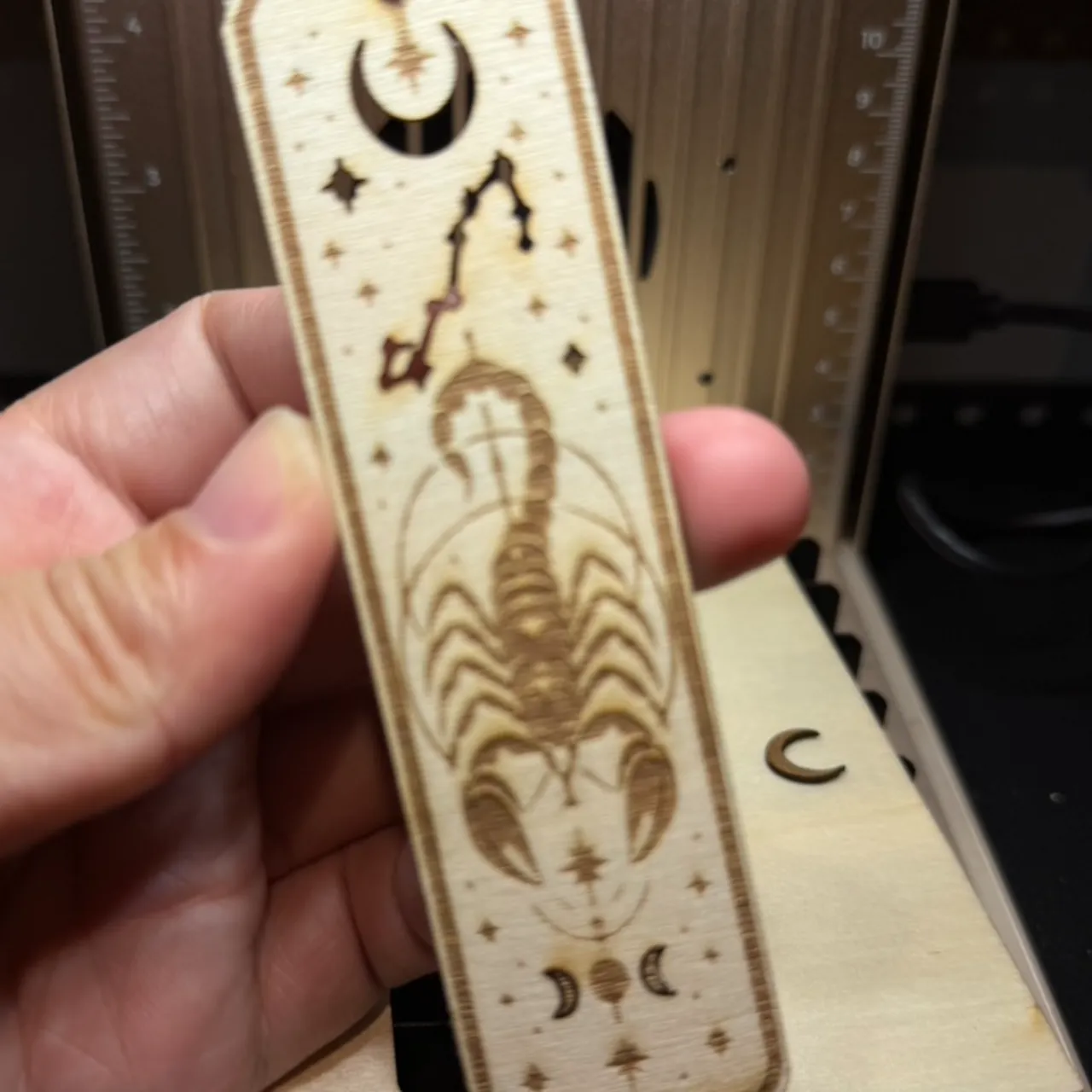
🪵 แจกค่าเซตติ้งจริง! ยิงที่คั่นหนังสือไม้ Basswood ลายสายมู-ดาราศาสตร์ ให้ลายละเอียดเนียนกริบชิ้นงานนี้ขนาด $4 \times 11$ ซม. ทำจากไม้อัด Basswood หนา 2 มม. มีทั้งลายเส้นละเอียดของกลุ่มดาว ภาพนูนของแมงป่อง และงานเจาะรูร้อยพู่ด้านบน การตั้งค่าในโปรแกรม xTool Creative Space (XCS) แบ่งเป็น 2 เลเยอร์หลักดังนี้ครับ:📐 1. การจัดเรียงเลเยอร์ (Layering)🖤 Engrave / Fill Layer: ลายแมงป่อง, กลุ่มดาวราศีพิจิก, ดวงจันทร์ และละอองดาวด้านใน🔴 Vector Cut Layer: เส้นกรอบนอกสี่เหลี่ยมมุมมน และวงกลมรูร้อยพู่ด้านบน⚙️ 2. ค่าพารามิเตอร์บน xTool F2 (Diode Laser 15W)งานสลัก (Fill/Engrave): Power 25% – 30% | Speed 450 mm/s | Density 160–200 lines/cm (1 Pass)ผลลัพธ์: ได้โทนสีไหม้น้ำตาลเข้มกำลังดี ลายเส้นจุดดาวเล็กๆ ไม่หลุดกลืนไปกับเนื้อไม้งานตัดขอบ (Cut): Power 100% | Speed 10 mm/s (1 Pass)ผลลัพธ์: ตัดขาดเนียนรอบเดียว รูร้อยพู่คม ไม่เกิดรอยรอยไหม้หนาเกินไป
Community Feedback
No votes yet — be the first to report how these settings worked.
Export
xTool machine: open it straight in xTool Studio, or download a .mxs (Studio → Materials → Import).
Sponsored
Shop xTool lasers and UV printers
Every xTool machine in this library, with our discount code.
Code ERIK100: $100 off $1,699+ (or ERIK80: $80 off $999+)
Shop xTool →Machine Context
BrandxTool
ModelF2
Laser typeDiode
Wattage15W
Compare against your own machine before treating these as a starting point.
Material Details
Materialnatural birch wood plywood
Size1mm
Shop machine — xTool →
Code ERIK100 — $100 off $1,699+ (or ERIK80 — $80 off $999+)
Provenance
Source type
Community report
Shared by a maker in the community. Helpful for context, but not verified for every setup.