


CO2Community report
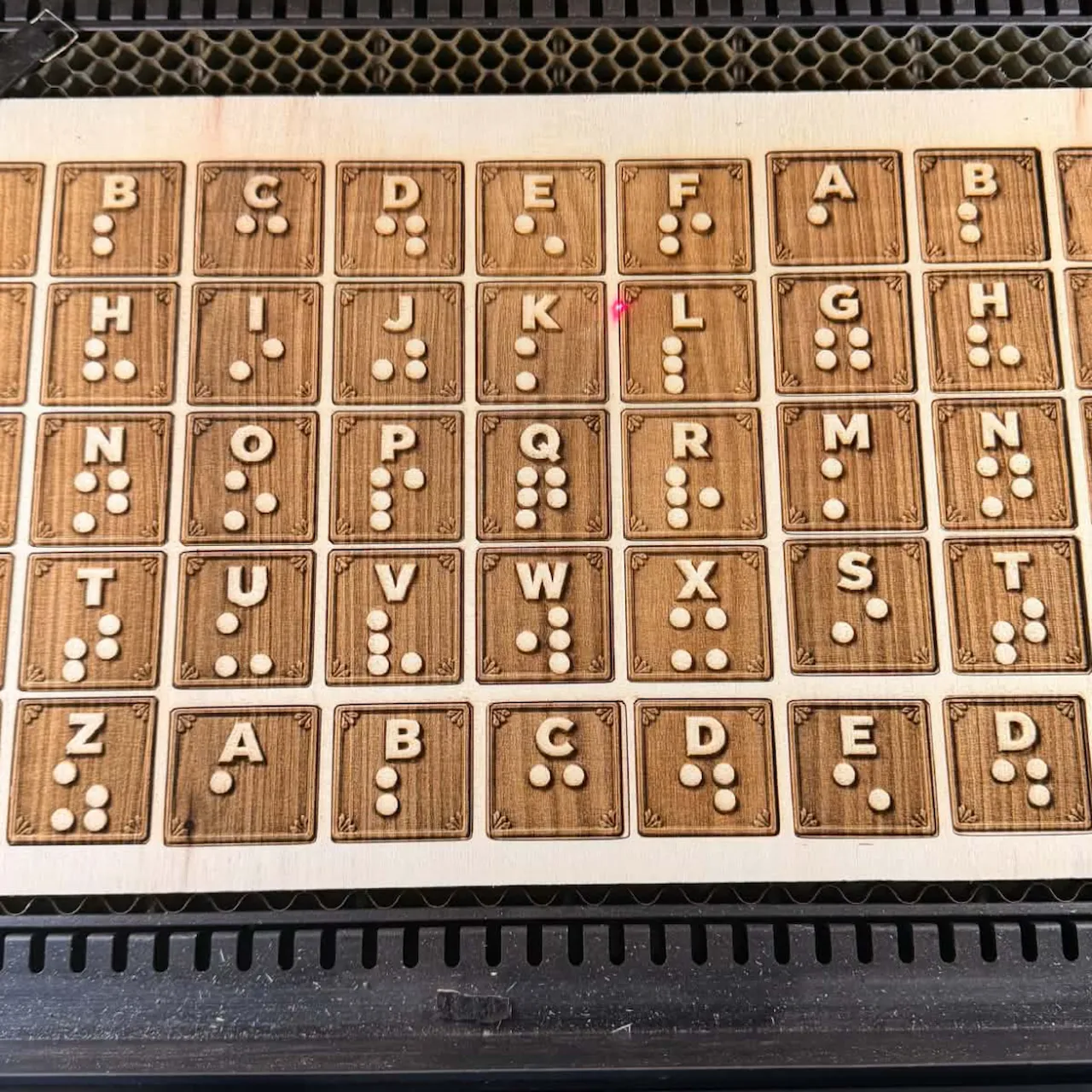
Braille Letter cutouts light brown plywood sheet
brown
Shared by @Theo on Atomm
Important safety notice
Settings are starting points — always run a test cut on scrap before your final piece. Follow your manufacturer's guidance, wear eye protection, and ensure proper ventilation.
Laser Settings
Engrave · Bitmap · Honeycomb PanelPower
33
Speed
250
LPC
133
Passes
1
Thickness
6mm
Braille Letter: I design and made this for a school that have a few that can use this to help spell words. I just do free project, and this is the type I enjoy doing the most. for this project I prefer to use 1/4" pine finished plywood. for some projects the Birch or Oak finished plywood looks great but for this one the goal is to burn back the wood so the dots stand tall to be able to feel by touch. I did one pass at a time at the end I did 4 passes. I plan on painting the dots with a smooth paint to maybe give it a better touch but not needed
Community Feedback
No votes yet — be the first to report how these settings worked.
Export
xTool machine: open it straight in xTool Studio, or download a .mxs (Studio → Materials → Import).
Sponsored
Shop xTool lasers and UV printers
Every xTool machine in this library, with our discount code.
Code ERIK100: $100 off $1,699+ (or ERIK80: $80 off $999+)
Shop xTool →Machine Context
BrandxTool
ModelP2S
Laser typeCO2
Wattage55W
Compare against your own machine before treating these as a starting point.
Material Details
MaterialBraille Letter cutouts light brown plywood sheet
Color / Finishbrown
Brandstandard 1/4" plywood
Size6mm
Shop machine — xTool →
Code ERIK100 — $100 off $1,699+ (or ERIK80 — $80 off $999+)
Provenance
Source type
Community report
Shared by a maker in the community. Helpful for context, but not verified for every setup.