


CO2Community report
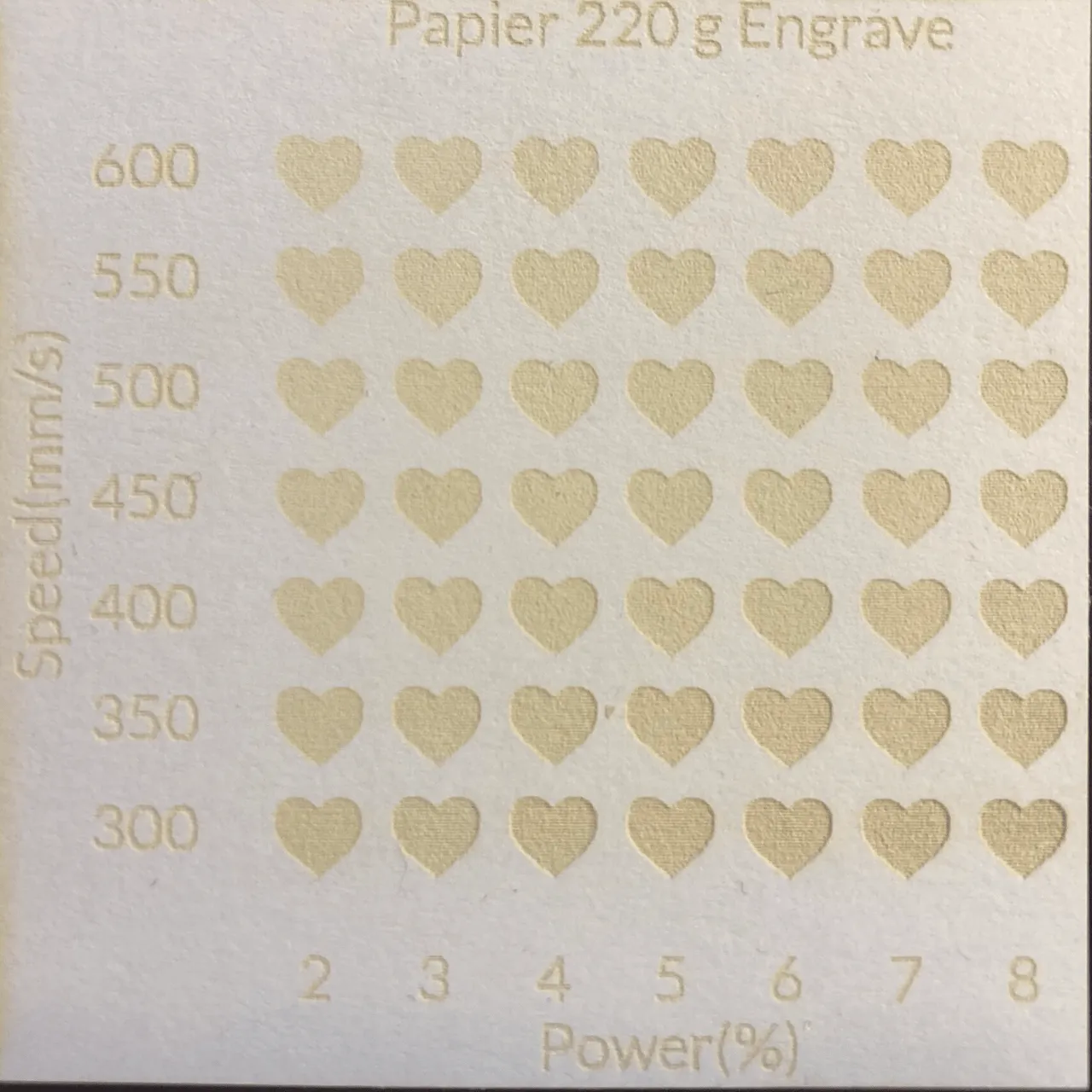
white 220g cardstock
white
Shared by @Sammy on Atomm
Important safety notice
Settings are starting points — always run a test cut on scrap before your final piece. Follow your manufacturer's guidance, wear eye protection, and ensure proper ventilation.
Laser Settings
Engrave · Vector · Honeycomb PanelPower
5
Speed
550
LPC
100
Passes
1
Thickness
0.25mm
defocus
8 mm
If you want to engrave paper/cardstock visible but without burn it. More power makes it more deep and darker. Check your own brand, paper with the same weight can react completely different because of different kinds of manufacturing. Use best paper/cardstock that is ready for laser printer.
Community Feedback
No votes yet — be the first to report how these settings worked.
Export
xTool machine: open it straight in xTool Studio, or download a .mxs (Studio → Materials → Import).
Sponsored
All American Print Supply
DTF and UV printers, supplies and xTool machines.
Code FOUNDRY: 5% off, machines included
Shop AAPS →Machine Context
BrandxTool
ModelP2S
Laser typeCO2
Wattage55W
Compare against your own machine before treating these as a starting point.
Material Details
Materialwhite 220g cardstock
Color / Finishwhite
Size0.25mm
Shop machine — xTool →
Code ERIK100 — $100 off $1,699+ (or ERIK80 — $80 off $999+)
Provenance
Source type
Community report
Shared by a maker in the community. Helpful for context, but not verified for every setup.