


DiodeCommunity report
leather
brown
Shared by @Stamey on Atomm
Important safety notice
Settings are starting points — always run a test cut on scrap before your final piece. Follow your manufacturer's guidance, wear eye protection, and ensure proper ventilation.
Laser Settings
Engrave · Bitmap · Flat SurfacePower
18
Speed
150
LPC
100
Passes
1
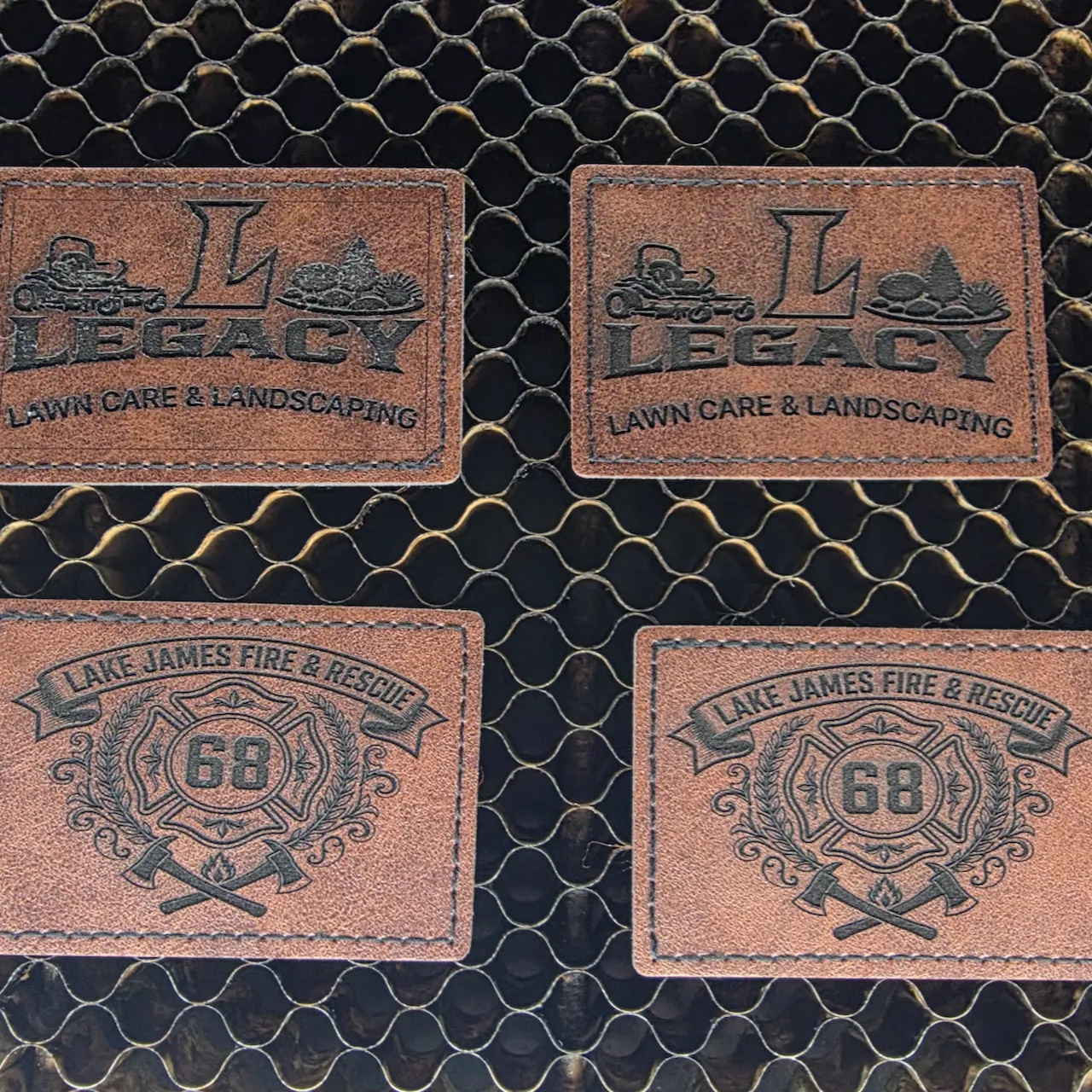
making some custom hat patches for a buddies lawncare business and I also made some station hats for my fire house too. super easy and they turned out really nice too. Now all that left is to press them on some hats and see how long they'll last
Community Feedback
No votes yet — be the first to report how these settings worked.
Export
xTool machine: open it straight in xTool Studio, or download a .mxs (Studio → Materials → Import).
Sponsored
All American Print Supply
DTF and UV printers, supplies and xTool machines.
Code FOUNDRY: 5% off, machines included
Shop AAPS →Machine Context
BrandxTool
ModelS1
Laser typeDiode
Wattage40W
Compare against your own machine before treating these as a starting point.
Material Details
Materialleather
Color / Finishbrown
Shop machine — xTool →
Code ERIK100 — $100 off $1,699+ (or ERIK80 — $80 off $999+)
Provenance
Source type
Community report
Shared by a maker in the community. Helpful for context, but not verified for every setup.